Reading time: min
It’s Monday morning. A new employee sits down at her desk for the first time. Next to the welcome package is a freshly provisioned laptop. She opens it, ready for onboarding, for her first conversations with the team, for her tasks. But she can’t log in. The VPN token is missing. Access rights haven’t been activated yet. The service desk is working through a backlog.
What follows is not a spectacular system outage. It’s something more ordinary: she waits.
Taken individually, such situations seem harmless. A delayed login. A missing authorization. An approval that takes longer than planned. But across dozens or hundreds of employees, these small delays add up. If 50 new hires each year lose just half a day of productivity, this quickly turns into several weeks of unused working time. Across locations and business units, isolated cases become a structural pattern.
This is how companies lose productivity. Not through dramatic failures, but through silent friction in everyday operations. And these are precisely the losses that rarely appear in reporting.
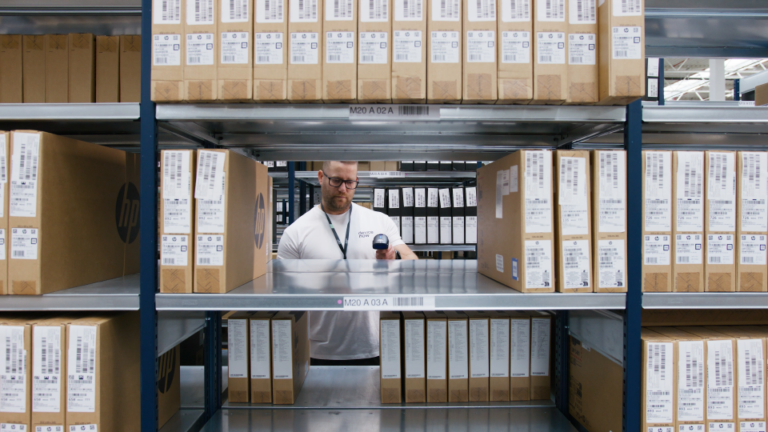
Productivity loss rarely announces itself as a crisis. It manifests in device refresh cycles stretched beyond recommended timelines, onboarding slowed by manual coordination, replacement hardware stuck in logistics loops, and IT teams consumed by staging, troubleshooting, and end-of-life handling. Each issue seems manageable in isolation. Together, they form a persistent drag on execution.
A simple example shows the impact. If 1,000 employees lose just 45 minutes per month due to device related delays, that equals roughly 9,000 working hours per year. That is the output of several full time employees. Not because teams lack commitment, but because the tools they depend on are not consistently available.
Organizations measure revenue per employee, utilization rates, and project timelines with precision. What they rarely measure is the working time lost to device failures or delayed provisioning. The assumption is straightforward. Once a laptop is handed over, productivity is secured. In practice, productivity depends on whether systems are fully operational when they are needed.
The financial impact does not stop with one employee. When a device fails or a replacement is delayed, IT shifts into reactive problem solving. Managers reassign tasks. Project schedules move. In hybrid work environments, where immediate on site support is limited, delays can have an even greater effect.
The most expensive part of workplace IT is often not the device itself. It is the waiting around it.
This is not simply anecdotal. A Forrester Total Economic Impact™ study commissioned by devicenow in January 2026 found that organisations adopting an enterprise Device as a Service model could reduce unplanned device replacement lead times from up to eight days to approximately two days. This reduction was associated with a decrease in employee downtime of about 75 percent.
The implication is straightforward. When device disruption is measured in days rather than hours, productivity loss becomes material at enterprise scale.
The same study also indicated that, within a composite organisation of 30,000 employees, staging a new device required approximately 4.5 hours of IT time and decommissioning an old device required around two hours.
At scale, these operational tasks can consume significant IT capacity.
The digital workplace has evolved rapidly. Hybrid models are standard. Teams collaborate across regions and time zones while security requirements continue to increase. At the same time, employees expect technology to work reliably and without delay.
Technology is no longer only supporting infrastructure. It is a prerequisite for value creation.
Yet many organizations still manage end devices as traditional assets. They are purchased in cycles, used as long as possible, and supported differently across regions. During periods of growth, acquisitions, or international expansion, these differences expand. Operational inefficiencies can develop into structural risks for productivity and business continuity.
Closing this gap requires a shift in mindset. The question is no longer how to purchase devices more efficiently but how quickly employees can become productive and remain productive.
Device as a Service becomes strategically relevant in this context. Not only as a financing alternative, but as an operating model designed to remove friction from the employee lifecycle.
A mature approach enables devices to be preconfigured and delivered directly to employees, often globally, with defined service levels for replacement in the event of malfunction or loss. Lifecycle processes such as staging, deployment, and end-of-life handling become structured rather than improvised. IT teams can redirect time previously spent on manual hardware logistics toward cybersecurity, digital workplace optimisation, and transformation initiatives.
For providers such as devicenow, the objective is not merely to supply hardware, but to create continuity. When devices are delivered quickly, replaced predictably, and managed transparently across regions, the hidden productivity drain begins to shrink.
For years, organisations have focused on the visible cost of workplace hardware: the price of a laptop, the impact on capital expenditure, the negotiation of supplier contracts. These factors remain relevant. Yet they do not fully capture the economic impact of friction that goes unmeasured.
The more important question is simple. How much productivity is lost because employees have to wait?
Every delayed onboarding, every postponed device replacement, and every outdated system that slows daily work consumes capacity that could generate value elsewhere. In large organizations, this loss is rarely dramatic. But it is continuous.
The organisations that succeed in the coming years will not simply invest in technology. They will ensure that workplace technology is delivered, supported, and refreshed at the pace modern work requires.
Because productivity today depends not only on talent and strategy.
It depends on whether the tools employees rely on are ready when they are.